Mila · School schedule changed
Math at 9:40 instead of 9:00
A schedule change, canceled practice, homework due tomorrow, the swim fee. Ogarnio on iPhone puts them in one plan you and the other parent can both see. Connecting a school account (e.g. Librus) is optional. You can also add the plan yourself.
Math at 9:40 instead of 9:00

Math · written assignment

Mila · check the school inbox

This afternoon is free again

Alex is picking up · bring a water bottle
Fractions · plan some practice

Import after your review
Assigned to Alex · due Thursday

Payment list · Alex is taking care of it

Mila marked her task as done
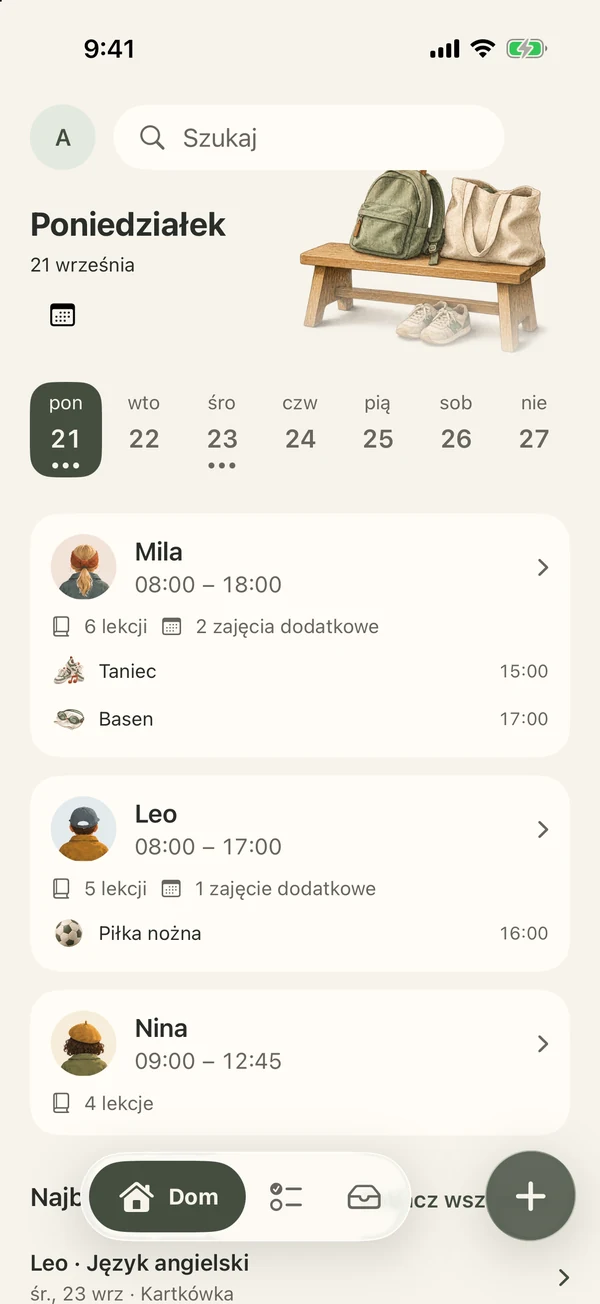
Ogarnio Home showing the plans for Mila, Leo and Nina
School
What do they need for tomorrow?
Parents’ chat
Where’s that message about the field trip?
Activities
Is practice still on today?
Family plan
Who’s picking up the kids?
Payments
Did we pay for swimming yet?
With Ogarnio, the answer’s already in the plan.
Something gets moved, something gets canceled, and suddenly nobody’s sure who was doing what. Ogarnio shows you what changed and lets you decide who handles it. You can turn grades, tests, and announcements from a school account (e.g. Librus) into tasks. With no connection, you add the plan yourself.
A class moved, practice canceled, a new date. You get a notification about what changed, so you can rework the rest of the day.
A class moved to 9:40 and canceled practice show up as notifications beside a calendar.
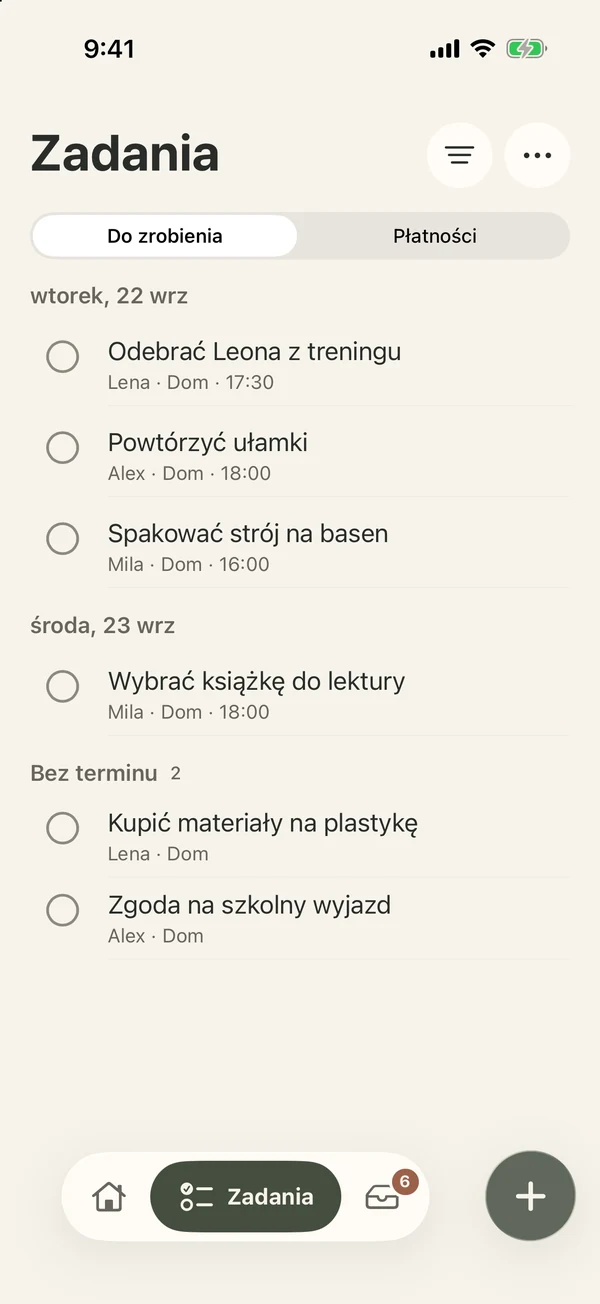
A Friday math test isn’t just another notification. You can turn it into a task like “Review fractions,” with a due date and the person who’s on it.
A message about a fractions test becomes a Review fractions task assigned to Mila, tomorrow at 18:00.
Split up drop-offs and pickups. The family plan shows who’s driving, when, and where, so you don’t have to sort it out again in the group chat.
A route from school to home connects Mila to Alex, who is picking her up today at 15:30.
Share a message or a screenshot. Check the details Ogarnio picked out and add them to your plan before they’re buried under “thanks!” and “who else is coming?”.
A field-trip message is reviewed, then the Friday 8:00 meeting is added to the family plan.
Swim lessons, field trips, class fees. See how much, when it’s due, and who’s paying. A reminder lets you know when to pay, and both parents can see what’s been paid.
A reminder for Mila’s swimming fee leads to marking it paid. Both parents can see what’s still open.
OGARNIO FOR KIDS
Kids get their own daily plan with classes, activities, and to-dos, so they can check what’s next and what to pack.
From first period to swim practice. My whole day in one place.
Mom or Dad adds a task, and I get a reminder when it matters. One less “don’t forget!”
One check, and my parents know it’s handled.
Kids get their own view. Parents get some peace of mind.
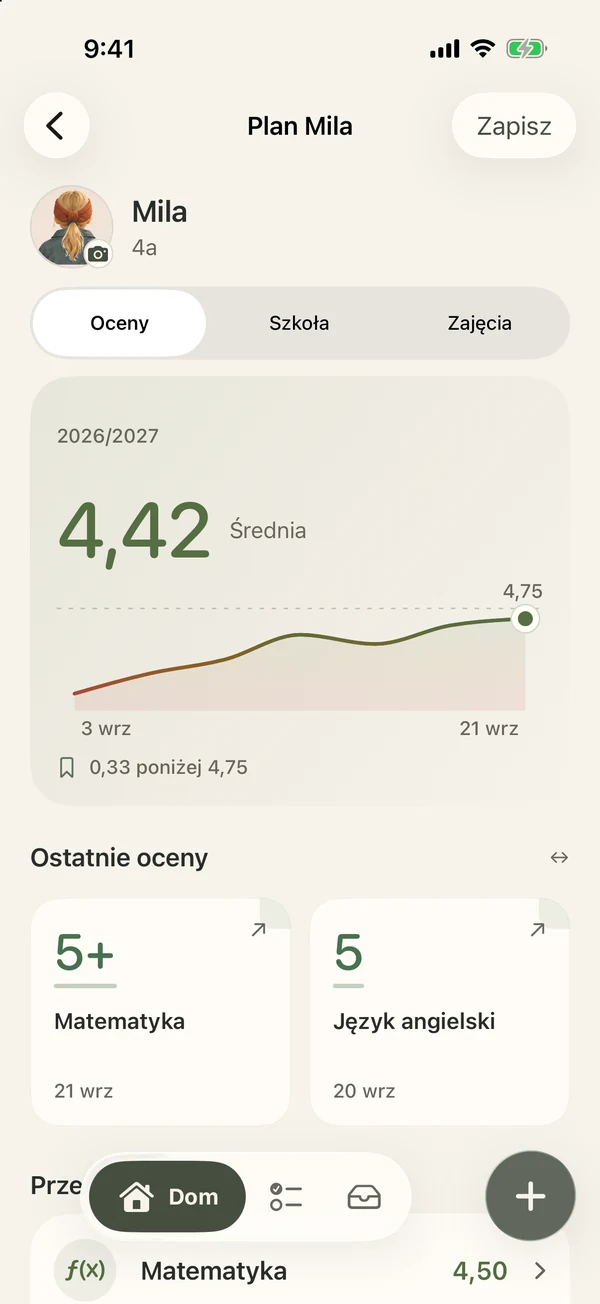
An illustrative Polish plan for Mila: school from 8:00 to 13:45, swimming at 16:00, a reminder to pack her bag and a completed task. Her parent sees confirmation after Mila marks the task done.
Add their profile and manage their day on your phone. They can connect their own phone when they’re ready.
Kids see their own plans and tasks. Payments and grown-ups’ private calendars stay private.
Home, school, or a trip. Make a list and assign each item to whoever’s handling it.
Add classes and activities yourself, and bring in school updates and messages whenever you want.
Ogarnio is a family plan on iPhone, not another gradebook. Connecting a school account (e.g. Librus) is optional.
| Ogarnio | School register (e.g. Librus) | Shared calendar | |
|---|---|---|---|
| Scope | School, activities, pickups, tasks, lists, and payments in one plan. | The gradebook stays at school. Ogarnio does not replace it. | Events you add yourselves. |
| School in the plan | You can turn a grade, a test, or an announcement into a task. You review it first. With no connection, you add the plan yourself. | Connecting an account is an extra way to fill in the plan. | Events you add yourselves. |
| Who sees what | Kids see their own plan and tasks. Payments and adults’ private calendars stay with the adults. The other parent sees the shared plan. | The gradebook stays separate from the family plan. | Events you add yourselves. |
No. The gradebook stays at school. Ogarnio turns school information into a family plan: tasks, pickups, and reminders. Connecting an account is optional.
No. You can add a child’s profile and manage their plan on your iPhone. When they get their own phone, connect it to the family and approve their access.
Yes. You can add a timetable and activities yourself. Connecting a school account (e.g. Librus) is an extra way to fill in the plan faster.
Yes. Invite the other parent and split up tasks and pickups. Each item shows who is handling it. Kids see their own plan and tasks, not household payments or adults’ private calendars.
Ogarnio is an iPhone app.

LESS TO REMEMBER. MORE TOGETHER.
Join the waitlist.
We’ll email you when Ogarnio launches.
We’ll email you when Ogarnio launches.